
URL TO PDF
Convert Any URL to OCR-Enriched PDF Screenshots
Learn how KhanPDF can convert public webpage URLs into clean PDF screenshots with OCR-enriched text, better searchability, and downloadable output
Introduction
Webpages are easy to open, but they are not always easy to save, share, search, or archive. A page can change, a link can stop working, or an online article can become difficult to access later. That is why many people save webpages as PDFs.
But a normal webpage screenshot or basic PDF is not always enough. Sometimes the saved page looks like an image only. You can view it, but you cannot easily search the text, copy important lines, or extract useful information from it.
This is where a URL to OCR-Enriched PDF Screenshot becomes useful.
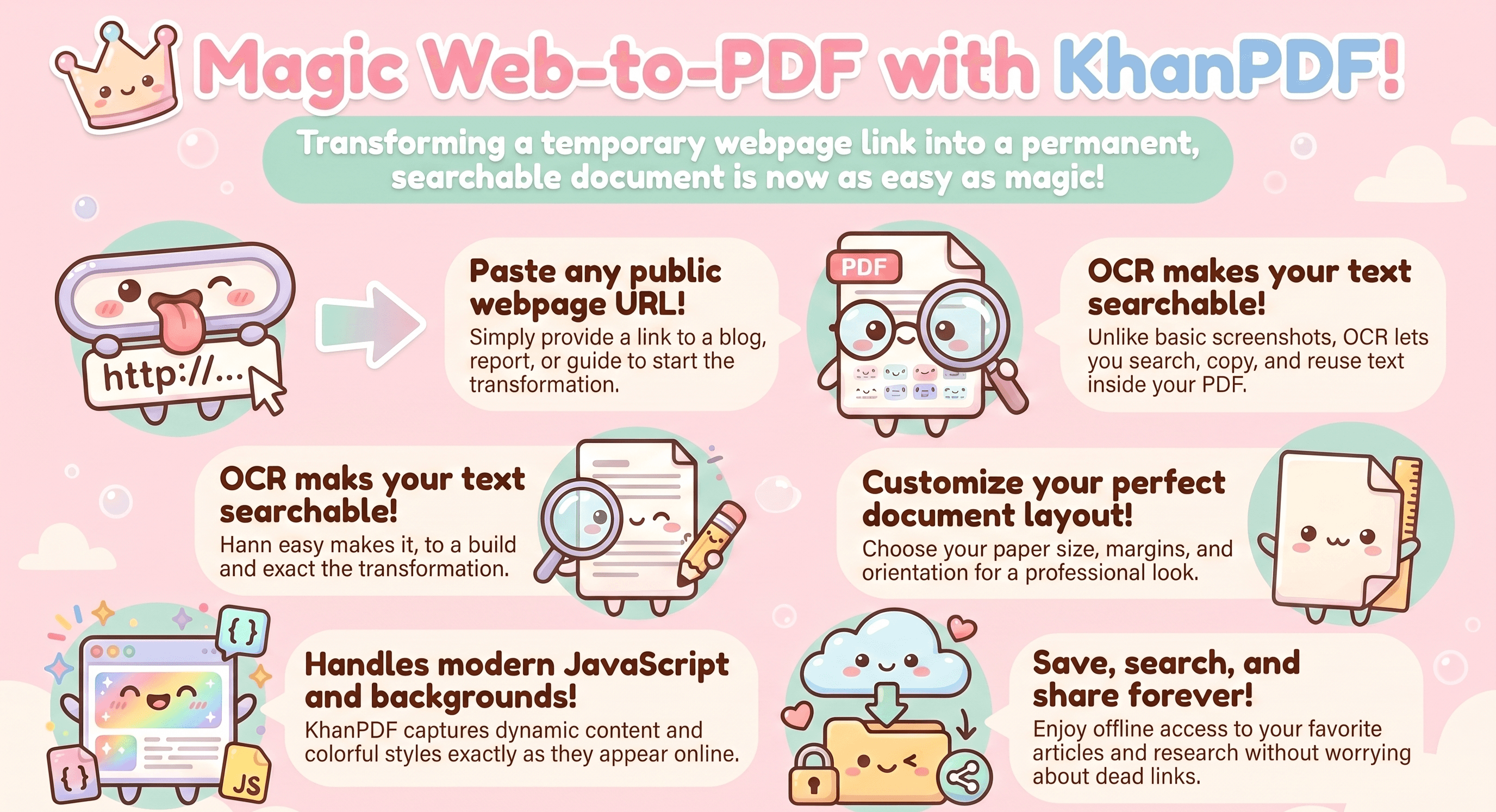
With khanpdf, the idea is simple: you enter a public webpage URL, khanPDF captures the webpage, converts it into a clean PDF, and enriches the result with OCR so the text becomes easier to detect, search, and reuse.
What Is URL to OCR-Enriched PDF Screenshot?
URL to OCR-enriched PDF screenshot means converting a webpage link into a PDF file that keeps the visual look of the page while also making the text more useful.
A normal screenshot captures what the page looks like. An OCR-enriched PDF goes one step further. OCR, or Optical Character Recognition, helps detect text from the captured page so the PDF becomes more searchable and useful.
In simple words:
- You give KhanPDF a webpage URL.
- KhanPDF opens the page.
- It captures the page as a PDF.
- It processes the visible content.
- It adds OCR-based text recognition.
- You get a downloadable PDF that is easier to read, search, store, and share.
Why People Use URL to OCR-Enriched PDF Tools
People use this type of tool when they need more than just a saved link.
A link is not permanent. The content can change. The page can be deleted. The layout can break. Sometimes access to the page may be limited later.
A PDF gives you a fixed copy of the page. An OCR-enriched PDF makes that copy more useful because the text can be searchable and easier to extract.
This is useful for:
- Saving online articles
- Archiving research pages
- Capturing invoices or reports
- Saving public documentation
- Keeping proof of online content
- Sharing webpages in a professional format
- Creating searchable webpage records
How URL to OCR-Enriched PDF Screenshot Works
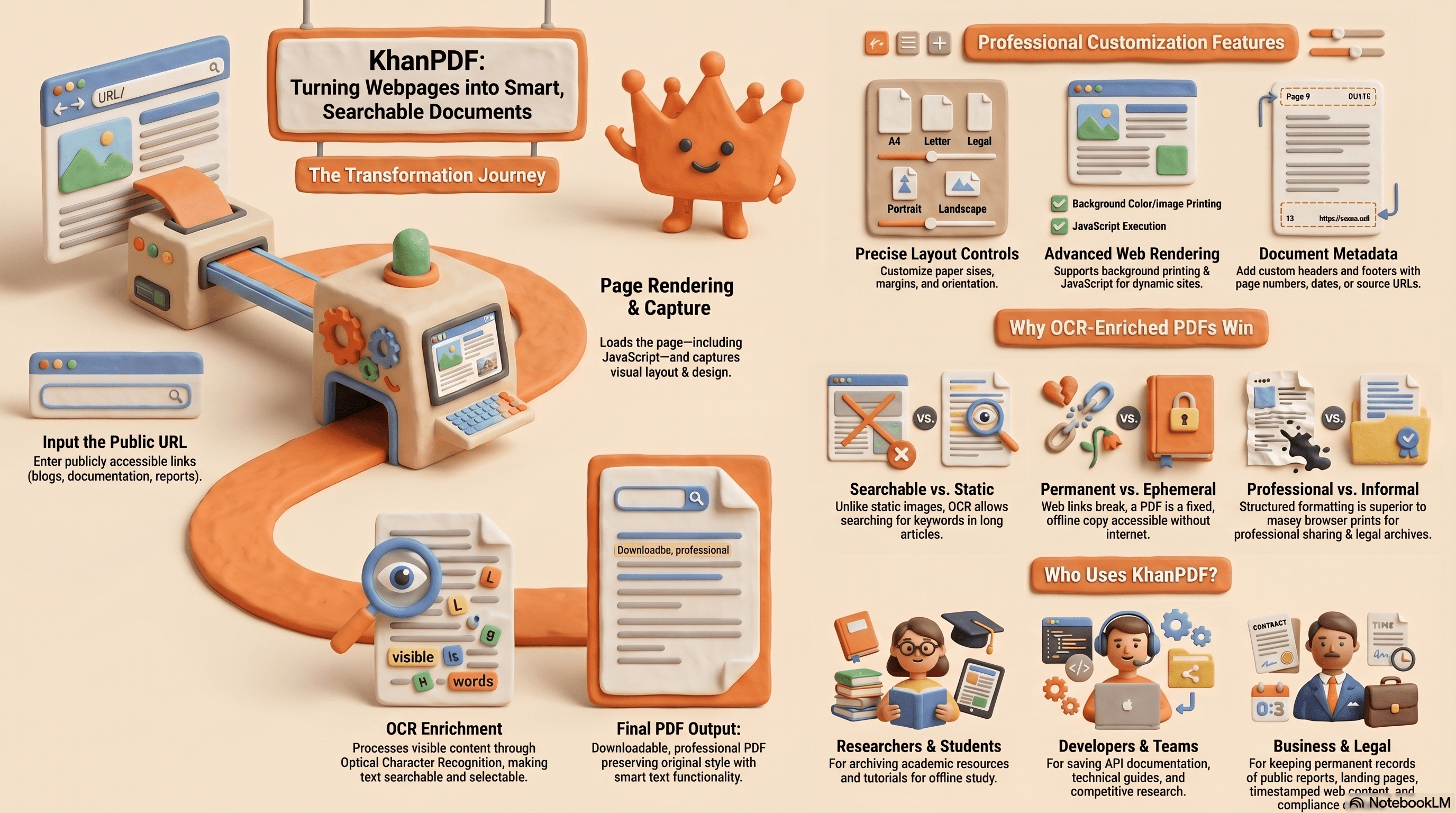
KhanPDF follows a simple workflow.
First, the user enters a public webpage URL. The system then loads the webpage and prepares it for conversion. The page can include normal HTML, CSS, images, and JavaScript-based content.
After the webpage loads, KhanPDF captures the page and converts it into a PDF file. Depending on the selected settings, the output can include background images, custom margins, page orientation, headers, footers, and print-friendly formatting.
Then, for OCR-enriched output, the captured content can be processed so that visible text becomes easier to detect and search inside the final PDF.
The final result is a downloadable PDF file.
###Supported URL Types
KhanPDF is designed for public webpage URLs. These can include:
- Blog articles
- Documentation pages
- News pages
- Public landing pages
- Public reports
- Public guides
- Product pages
- Educational pages
- Web-based documents
For best results, the URL should be publicly accessible without login restrictions.
Key Features of KhanPDF URL to OCR-Enriched PDF Screenshot
Public URL to PDF conversion
KhanPDF can take a public webpage URL and convert it into a downloadable PDF. This helps users save online pages in a stable format instead of relying only on browser bookmarks.
OCR-enriched output
OCR helps make the captured webpage more useful. Instead of only keeping the visual screenshot, OCR can help recognize text from the page so users can search or reuse information more easily.
Full webpage capture
The tool can capture webpage content and convert it into a PDF format. This is useful when users want to preserve the page layout, design, headings, sections, and visual structure.
JavaScript-rendered page support
Modern websites often load content using JavaScript. KhanPDF can support pages where content appears after the page loads, making it more useful for modern web apps, dashboards, documentation pages, and dynamic websites.
Custom margins
Users can define margins for the output PDF. For example, a user may want smaller margins for compact documents or wider margins for professional printing.
Paper size options
KhanPDF can support common paper sizes such as A4, Letter, Legal, and custom sizes. This matters when the PDF is used for printing, documentation, or professional sharing.
Portrait and landscape orientation
Some webpages look better in portrait mode, while wide tables, dashboards, or reports may need landscape mode. KhanPDF can support both.
Background printing
Some webpages use background colors, gradients, and images. With background printing support, the PDF can preserve more of the original visual style.
Print and screen media rendering
Websites often have different styles for screen and print. KhanPDF can support rendering modes so users can choose whether they want a print-friendly version or a screen-like version.
Header and footer support
Headers and footers can be useful for professional PDFs. Users can add page numbers, dates, page titles, or website URLs to the generated PDF.
Render timeout handling
Some webpages take longer to load because of images, scripts, ads, or dynamic data. Render timeout settings help control how long the system waits before creating the PDF.
Temporary download links
Generated files can be available through temporary download links. This helps users download their files while also keeping storage clean and controlled.
Benefits of Saving Webpages as OCR-Enriched PDFs
- Offline Access
- A webpage needs the internet. A PDF can be saved locally and opened anytime.
- This is useful for students, researchers, business teams, and professionals who need access to important information later.
- Better Sharing
- Sharing a link is easy, but not always reliable. The person receiving the link may see a different version of the page, or the page may change.
- A PDF gives everyone the same fixed copy.
- Searchable Content
- OCR-enriched PDFs are more useful than plain screenshots because users can search for words inside the document.
This is very helpful for long articles, documentation, invoices, reports, and research pages.
Better Archiving
If you need to keep a record of a webpage, a PDF is better than a browser bookmark. It preserves the content at the time you saved it.
Printing Support
PDF is still one of the best formats for printing. With paper size, orientation, margins, headers, and footers, the output can be prepared for clean printing.
Professional Formatting
A clean PDF looks more professional than screenshots pasted into a document. KhanPDF helps turn webpages into structured, shareable files.
Best Practices for Better PDF Results
- Use public URLs
- The URL should be publicly accessible. If a page requires login, private access, or session-based authentication, the converter may not be able to access it properly.
- Wait for dynamic content to load
- Some pages load slowly. If the page has dynamic content, charts, or heavy scripts, use a longer render timeout for better results.
- Use landscape mode for wide content
If the webpage has tables, dashboards, or wide sections, landscape orientation can produce a better PDF.
Keep margins balanced
- Very small margins can make the PDF look cramped. Very large margins can waste space. Use balanced margins for a clean output.
- Use print background when design matters
If the webpage uses colors, banners, cards, or background images, enable background printing to preserve the visual design.
Use headers and footers for professional documents
For business or research documents, headers and footers can add useful context such as page numbers, date, or source URL.
[LINK text="khan" href="https://khanpdf.com"] Use Cases
- Students and Researchers
Students can save online articles, academic resources, tutorials, and public research pages as OCR-enriched PDFs. This helps them read offline, search content, and organize references.
- Developers
Developers can save API documentation, technical guides, release notes, GitHub pages, and web-based tutorials as PDFs. OCR makes the saved content easier to search later.
- Businesses
Businesses can use KhanPDF to save reports, landing pages, competitor pages, pricing pages, or public documents in a fixed PDF format.
Marketing Teams
Marketing teams can save campaign pages, ad landing pages, content examples, and competitor research pages. This helps teams compare changes over time.
- Remote Teams
Remote teams often share links, but links can get lost or updated. A PDF gives the team a stable version of the page that everyone can view the same way.
- Legal and Compliance Teams
For public web records, a timestamped PDF can help preserve content in a more stable format. OCR can make it easier to search through saved records.
- Security and Accessibility
KhanPDF should be used with public URLs and non-sensitive content unless the user fully understands how the file is processed.
For accessibility, OCR-enriched PDFs can be more useful than image-only screenshots because recognized text is easier to search and may support better document handling.
Still, users should avoid converting private pages, sensitive dashboards, personal records, or confidential data unless the workflow is designed with proper security controls.
How to Convert Any URL to an OCR-Enriched PDF Screenshot | KhanPDF Tutorial
Final Thoughts
A normal URL-to-PDF tool is useful. But a URL to OCR-enriched PDF screenshot tool is even more powerful because it preserves the webpage visually and makes the text more useful.
KhanPDF can help users save webpages as clean, downloadable PDFs with practical options like margins, paper size, orientation, background rendering, headers, footers, and OCR enrichment.
This makes the tool useful for students, developers, businesses, marketers, researchers, and remote teams.
Conclusion
URL to OCR-enriched PDF screenshot conversion helps turn online webpages into stable, searchable, and shareable PDF files.
Instead of only saving a link or taking a basic screenshot, KhanPDF gives users a better way to keep webpage content in a professional document format.
Whether you are saving an article, documentation page, report, or public web record, khan helps make the process simple, fast, and useful.
FAQ
Frequently asked questions
Ready to try it yourself?
Convert, compress, and craft PDFs with KhanPDF — fast, free, fidelity-first.
Convert URL to PDF